You’ve bought some Bitcoin or Ethereum. Now what? You can’t just leave it on an exchange and walk away. That’s like leaving your house keys under the doormat while you’re on vacation. It might be fine for a weekend, but it’s risky if you’re gone for months. The solution is a crypto wallet. But here’s the catch: not all wallets are created equal. Choosing the wrong one can cost you everything, or worse, lock you out of your own money.
Most people think a wallet holds their coins. It doesn’t. A crypto wallet is actually a digital tool that stores your private keys, which are cryptographic codes that prove you own the assets on the blockchain. Think of it as a keychain. The blockchain is the bank vault; your private key is the only thing that opens it. If you lose the key, the vault stays shut forever. No support team can reset your password because there isn’t one.
The Big Divide: Hot vs. Cold Storage
Every wallet falls into one of two camps: hot or cold. This distinction is based entirely on internet connectivity. It sounds simple, but this single factor dictates your security risk and how convenient your daily transactions will be.
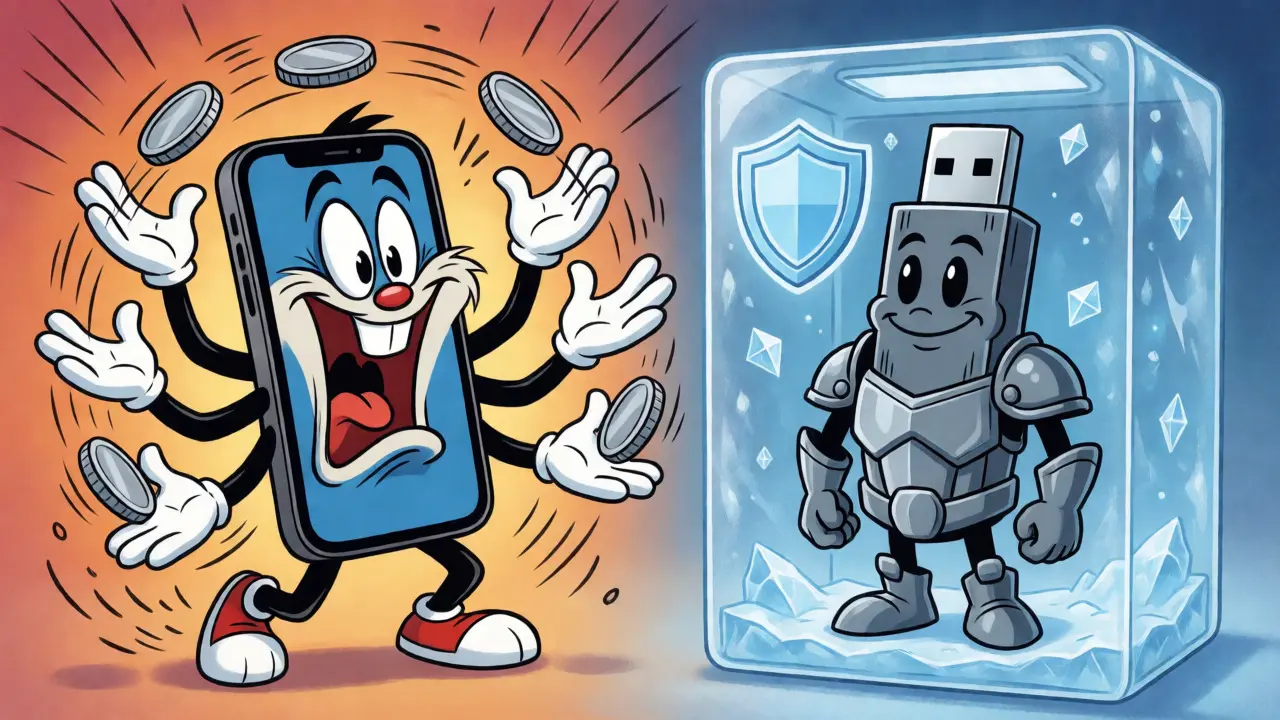
A hot wallet is any wallet connected to the internet. This includes mobile apps, desktop software, and browser extensions. Because they are online, they are incredibly easy to use. You can buy, sell, or swap tokens in seconds. However, being online makes them vulnerable to hackers, malware, and phishing attacks. According to NerdWallet’s 2025 analysis, about 78% of all crypto transactions happen through hot wallets simply because they are so fast.
In contrast, a cold wallet keeps your private keys offline. These devices never touch the internet directly when storing keys. Transactions are signed inside the device itself and then broadcast to the network via a computer or phone. This air-gapped method makes them nearly immune to remote hacking. Ledger’s 2024 industry report suggests that while hot wallets handle the traffic, cold wallets secure roughly 63% of the total value held by users. If you have more than $1,000 in crypto, moving to cold storage is usually the smart move.
Hardware Wallets: The Gold Standard for Security
When people talk about cold wallets, they usually mean hardware wallets. These are physical devices, often looking like USB sticks, that store your keys in a secure chip. Brands like Ledger and Trezor dominate this space. They aren’t cheap-prices range from $49 for a basic Trezor Model One to over $179 for a Ledger Nano Flex-but the peace of mind is worth it for serious holders.
The technology inside these devices is surprisingly robust. For instance, Ledger uses CC EAL6+ certified chips, the same standard used in credit cards and passports. This means even if someone steals your device, they can’t extract your private keys without physically destroying the chip and spending millions in forensic equipment. And even then, they’d need your PIN.
But hardware wallets come with friction. Setting one up takes time. A Money.com usability test found that initial configuration averages 25-45 minutes. You’ll spend most of that time carefully writing down your 24-word recovery phrase (seed phrase) on paper. Never type it into a computer. Never take a photo of it. If you lose that paper, you lose your coins. There is no "forgot password" link in crypto.
| Feature | Trezor Model One | Ledger Nano X | Ledger Nano Flex |
|---|---|---|---|
| Price | $49 | $149 | $179 |
| Cryptos Supported | ~1,000 | 5,500+ | 5,500+ |
| Connectivity | USB-C | Bluetooth 5.0 + USB-C | Bluetooth 5.2 + USB-C |
| Best For | Beginners & Budget | Mobile Users | Touchscreen Convenience |
Software Wallets: The Daily Drivers
If you trade frequently or interact with Decentralized Finance (DeFi) apps, a hardware wallet is too slow. Imagine having to plug in a USB stick every time you want to swap tokens on Uniswap. You’d go crazy. This is where software wallets shine. They live on your phone or browser and connect instantly to dApps.
MetaMask is the most famous example. Created in 2016, it started as a simple browser extension for Ethereum but has evolved into a multi-chain powerhouse supporting over 1,200 tokens across networks like Polygon and Avalanche. It processes millions of daily transactions because it removes the friction between you and the blockchain.
Mobile options like Trust Wallet (acquired by Binance in 2018) offer similar convenience. Trust Wallet supports over 10 million token contracts and integrates seamlessly with NFT marketplaces. For beginners, Zengo has gained traction by removing the seed phrase entirely, using biometric security instead. While controversial among purists, it lowers the barrier to entry significantly.
The downside? Malware. If your phone or laptop gets infected with keyloggers or screen scrapers, your funds could vanish. Dr. Sarah Khatry from Kaspersky notes that 68% of wallet breaches originate from browser extension vulnerabilities. Always keep your software updated and be wary of clicking random links in Discord or Telegram.
Custodial vs. Non-Custodial: Who Holds the Keys?
Before you download anything, decide who controls your keys. This is the difference between custodial and non-custodial wallets.
A custodial wallet is provided by an exchange like Coinbase or Kraken. They hold your private keys for you. It’s user-friendly-you can recover access with your email and password-and ideal for buying crypto with fiat currency. But remember the golden rule: "Not your keys, not your coins." If the exchange goes bankrupt (looking at you, FTX), your assets might be frozen or lost in bankruptcy proceedings.
A non-custodial wallet gives you full control. Examples include Exodus, MetaMask, and any hardware wallet setup. You are your own bank. This means total responsibility. If you send funds to the wrong address, there’s no undo button. If you lose your seed phrase, no customer support agent can help you. Institutional investors prefer this model; Coinbase Institutional reports that 73% of large holders use self-custody solutions to avoid counterparty risk.
How to Choose the Right Setup for You
Don’t feel pressured to pick just one. Most experienced crypto users run a hybrid system. Here is a practical framework to build your stack:
- The Trading Stack: Use a hot wallet like MetaMask or Trust Wallet for active trading and DeFi farming. Keep only enough funds here to cover your next few trades plus gas fees.
- The Savings Vault: Move long-term holdings (Bitcoin, Ethereum) to a hardware wallet. Treat this like a savings account you don’t touch often.
- The Fiat Bridge: Keep a small amount on a reputable exchange (like Coinbase or Binance) for easy cash-outs to your bank account.
Consider your lifestyle. Are you tech-savvy? Can you handle a 45-minute setup process? If not, start with a reputable non-custodial app like Zengo or Exodus before upgrading to hardware. Vitalik Buterin, co-founder of Ethereum, has noted that over-reliance on complex hardware setups can hinder mainstream adoption, suggesting that simpler security models are evolving rapidly.
Common Pitfalls to Avoid
Even with the right wallet, mistakes happen. The most common error is poor seed phrase management. Storing your recovery phrase in a cloud note (like iCloud or Google Drive) exposes it to data breaches. Write it on metal or paper and hide it in a fireproof safe.
Another trap is fake updates. Hackers often send emails claiming your wallet needs a critical update, leading you to a phishing site that asks for your seed phrase. Legitimate wallets never ask for your seed phrase during an update. Only enter it during initial setup or recovery.
Finally, beware of "free" airdrops. Connecting your wallet to a suspicious website to claim a free token can drain your balance if you approve a malicious contract. Always check the permissions you are granting.
Can I use both a hot and cold wallet at the same time?
Yes, and many experts recommend it. Use a hot wallet for daily transactions and small balances, and transfer larger amounts to a cold wallet for long-term storage. This balances convenience with security.
What happens if my hardware wallet breaks?
Your coins are not stored on the device itself; they exist on the blockchain. If your device breaks, you can restore your access using your 24-word recovery phrase on a new compatible wallet. As long as you have the phrase, your funds are safe.
Are hardware wallets completely hack-proof?
No system is perfect. While remote hacking is extremely difficult, physical theft is possible. Additionally, supply chain attacks (where a device is tampered with before shipping) or firmware bugs can pose risks. Always buy directly from the manufacturer to minimize these threats.
Is MetaMask safer than Coinbase Wallet?
MetaMask is non-custodial, meaning you control the keys. Coinbase Wallet is also non-custodial but offers easier fiat integration. Neither is inherently "safer" technically; safety depends on your behavior. However, holding funds on the Coinbase Exchange (not the wallet) is custodial and carries platform risk.
Do I need a different wallet for each cryptocurrency?
Not necessarily. Multi-chain wallets like Trust Wallet, Exodus, and Ledger Live support hundreds of cryptocurrencies simultaneously. You only need separate wallets if you want strict compartmentalization for privacy or specific technical requirements for certain blockchains.
OMG this is exactly what I needed!! 🙌 The analogy about leaving keys under the doormat is SO accurate. I used to leave everything on Binance because I was scared of losing my seed phrase, but honestly? FTX taught me a hard lesson. Moving to cold storage felt scary at first but now I sleep so much better knowing my coins are actually MINE. If you're on the fence, just do it! You got this! 💪🔒✨
Overrated advice. Most people don't have enough crypto to justify buying a $150+ device. Just use MetaMask and stop pretending you're institutional grade. :/
I respectfully disagree with the sentiment that hardware wallets are overrated for small holders. While the cost is a barrier, the philosophical aspect of self-custody cannot be understated. It shifts the paradigm from trust in institutions to trust in mathematics and personal responsibility. For those who value sovereignty, even a modest investment in security is worthwhile.
Ugh, seriously?? 😩 People are so lazy. They want convenience but then cry when they get hacked. It's not rocket science!!! Write down the words!!! Don't take a photo!!! Why is this so hard for everyone??? 😤😤😤 The article is right, if you can't handle the friction, you don't deserve the assets. Period. End of story. 📉📉📉
I hear you, Harish. It really is frustrating seeing people lose funds to basic mistakes. But I think we have to remember that not everyone grew up with tech or has the same anxiety levels around managing private keys. Empathy goes a long way here. We were all beginners once, and some of us had to learn the hard way too. ❤️🥺
Great breakdown! I am currently using a hybrid approach similar to the one suggested. Keeping a small amount in Trust Wallet for daily DeFi interactions and the bulk in a Ledger. It balances the need for speed with the peace of mind of cold storage. Highly recommend this setup for anyone starting out in Africa where exchange access can sometimes be tricky!
i like the point about zengo removing the seed phrase... seems like a good compromise for non techy folks who still want control without the fear of losing paper... its interesting how biometrics are becoming more accepted in crypto circles lately...
While Zengo is user-friendly, relying solely on biometrics introduces a single point of failure related to your physical body or device integrity. If your phone dies and you haven't set up a backup method properly, you might face recovery issues. Traditional seed phrases, while cumbersome, offer a deterministic recovery path that doesn't depend on proprietary cloud services or specific hardware sensors.
Yes. Hardware wallets are worth it. Simple as that.
Man, I feel you Sophie. It’s just so simple yet so many people ignore it until it’s too late. I lost like $2k to a phishing scam last year because I was being lazy with my hot wallet. Now I’m paranoid every time I click a link. It’s exhausting but necessary. 😭💸
It is morally imperative that individuals take ownership of their financial destiny. Relying on custodial exchanges is akin to gambling with your future. We must demand higher standards of security from ourselves. Do not let convenience erode your principles. Stand firm in your self-custody journey, for it is the only true path to freedom in this digital age.
I appreciate the emphasis on responsible management. However, I believe we should also consider the accessibility barriers. Not everyone has the disposable income for premium hardware, nor the technical literacy to navigate complex setups without professional assistance. A balanced ecosystem requires solutions for all economic tiers.
Fascinating discussion on the dichotomy between UX and security. From an interoperability standpoint, we are seeing a shift towards MPC (Multi-Party Computation) wallets which aim to bridge this gap by eliminating the single point of failure inherent in traditional seed phrases. This represents a significant evolution in key management architecture, potentially making 'not your keys' obsolete through cryptographic distribution rather than centralized custody. It is a nuanced topic that warrants deeper exploration beyond the binary hot/cold framework.
MPC is cool but let's be real, it's still early days and mostly for whales. For the average person, a Ledger or Trezor is still the king 👑. Stop overcomplicating things for newbies! Just buy the stick, write the words, hide them well. Done. Success is simple execution, not theoretical debates. Go get yours today! 🚀💰
Hardware wallets aren't hack proof supply chain attacks are real check reviews before buying 🔍🛡️
The notion of absolute security is a comforting illusion we construct to shield ourselves from the chaotic nature of entropy. When we speak of cold storage, we are essentially engaging in a ritualistic preservation of knowledge, encoding our wealth into a form that resists the ephemeral nature of digital connectivity. Yet, even these silicon fortresses are subject to the whims of human error and physical degradation. One must ponder whether the rigidity of offline storage ultimately stifles the fluid potential of decentralized finance, creating a paradox where safety becomes synonymous with stagnation. In seeking to lock away our treasures, do we inadvertently lock away our ability to interact with the evolving tapestry of the blockchain economy?
Love the deep thought, Ferdinand! But practically speaking, stagnation is better than getting rekt. 😅 If you're active in DeFi, definitely keep a hot wallet connected. Just treat it like a checking account-don't put your life savings there. Keep the vault locked tight. That balance is key! ✅🔐
You all think you are safe with Ledger but they have been hacked before. The NSA knows your keys anyway. It is all an illusion. The banks created this system to trap us. Even if you hold your own keys, the government can freeze your address. There is no escape from the surveillance state. Wake up.
Haha, classic Abid. 😂 Look, yeah, nothing is perfect. But compared to leaving it on an exchange during a collapse, holding your own keys is infinitely safer. You can always move funds if a protocol gets blacklisted. At least you have agency. Chill out, man. Enjoy the ride. 🏄♂️
I’ve been quietly reading through these comments and learning so much. The idea of keeping a small amount in a hot wallet for testing transactions before moving larger sums to cold storage feels very manageable for someone like me who gets anxious easily. It makes the process feel less daunting.
Welcome to the fold, Paige! 💖 That "test transaction" strategy is literally the golden rule for beginners. It builds confidence without risking your whole stack. Remember, there is no rush. Crypto will be here tomorrow. Take your time, breathe, and celebrate each small win. You are doing great just by educating yourself! 🌟🧘♀️